CAM System Overview: Computer-Aided Manufacturing, Programming, Toolpath Planning and Production Processes
Computer-aided manufacturing (CAM) is a technology used to plan, control, and support manufacturing operations through computer software. A CAM system converts digital design information into instructions that manufacturing equipment can use to produce physical components.
Context
CAM developed alongside computer-aided design (CAD) and numerical control technologies. Early numerical control systems used programmed instructions to guide machine movements, while later computer systems made it possible to prepare, simulate, and manage more complex manufacturing operations. Modern CAM software connects digital part designs with machine-specific instructions, reducing the amount of manual programming required for many machining tasks.
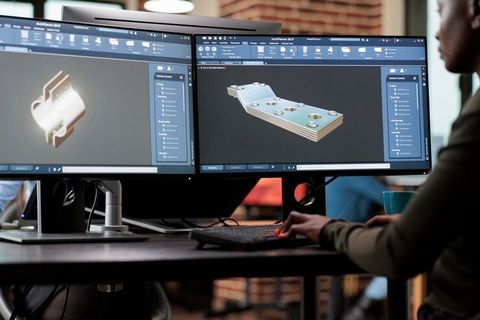
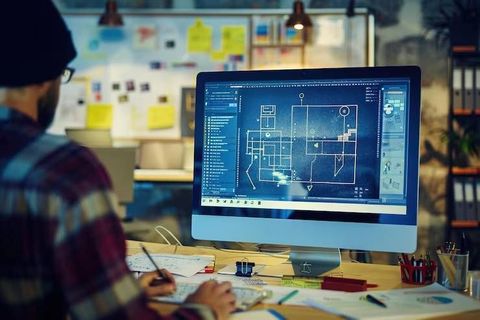
A CAM system generally works with a CAD model or other geometry describing the intended component. The programmer selects machining operations, cutting tools, material settings, and movement strategies. The software then calculates toolpaths and generates machine instructions through a process known as post-processing.
Main components of a CAM system
A CAM workflow includes several connected elements. CAD geometry describes the part, CAM software plans how material will be removed or shaped, and a post-processor translates the planned operations into instructions compatible with a particular machine controller.
The principal components include:
CAD model: A digital representation of the part's geometry and dimensions.
CAM software: The environment used to define machining operations and calculate tool movements.
Tool library: Information about cutting tools, including dimensions and operating parameters.
Toolpath: The planned route followed by a cutting tool during a manufacturing operation.
Post-processor: Software that converts toolpath information into machine-readable instructions.
CNC machine and controller: The equipment and control system that execute the programmed operations.
CAM is not limited to cutting metal. Depending on the software and equipment, it can support machining of plastics, wood, composites, and other materials. Related digital manufacturing workflows also support processes such as additive manufacturing, although the planning methods differ from conventional material-removal operations.
Importance
CAM systems matter because modern manufacturing often involves components with detailed geometry, narrow dimensional tolerances, and repeatable production requirements. Preparing machine movements manually can become difficult when a component requires several operations, multiple tool changes, or complex curved surfaces. CAM software helps organize these operations into a planned sequence.
Manufacturing engineers, CNC programmers, machine operators, product designers, and production planners may all interact with different parts of a CAM workflow. The technology also supports industries such as automotive manufacturing, aerospace, medical-device production, industrial equipment manufacturing, and consumer-product manufacturing.
How CAM supports production
A CAM system can help coordinate machining operations, estimate cutting times, identify potential tool collisions, and organize the sequence of manufacturing steps. These capabilities allow teams to examine a proposed process before running it on physical equipment.
CAM also helps connect design changes with manufacturing instructions. When a CAD model changes, the programmer can update affected operations and regenerate the relevant toolpaths. However, changes still require review because a revised design may affect tool access, workholding, machine limits, or the intended dimensions.
CAM compared with CAD and CNC
These terms describe related but different functions. CAD focuses on creating and modifying digital designs, CAM focuses on preparing manufacturing operations, and CNC refers to the computer-controlled equipment that carries out programmed movements.
| Technology | Primary purpose | Typical output |
|---|---|---|
| CAD | Design geometry and dimensions | Digital part model or drawing |
| CAM | Plan manufacturing operations | Toolpaths and machine instructions |
| Post-processing | Adapt CAM output to a machine controller | Machine-specific program |
| CNC | Execute programmed movements | Machined or processed component |
| Simulation | Examine planned operations virtually | Toolpath checks and process observations |
These stages are connected, but they are not interchangeable. A well-formed CAD model does not automatically produce a suitable machine program, and a simulated operation does not establish that every real-world condition has been represented accurately.
Programming and toolpath planning
CAM programming begins with decisions about how the component will be manufactured. The programmer identifies the material, available machinery, cutting tools, workholding arrangement, required features, and machining sequence. The selected approach influences the toolpath, machining parameters, surface finish, and production time.
Toolpath planning determines how a tool moves relative to the workpiece. Common strategies include facing, pocketing, contour machining, drilling, roughing, and finishing. Roughing removes larger amounts of material, while finishing operations focus on the final geometry and surface characteristics.
Programming also involves selecting parameters such as spindle speed, feed rate, cutting depth, and tool engagement. Suitable settings depend on the material, tool geometry, machine capability, coolant arrangement, and manufacturer's technical guidance. Incorrect settings can contribute to tool wear, vibration, poor surface quality, or equipment damage.
Recent Updates
CAM development increasingly emphasizes connected digital workflows, simulation, automation, and data exchange between design and production systems. Recent software developments have focused on reducing repetitive programming tasks, improving toolpath calculations, and helping manufacturing teams identify problems before machining begins.
Simulation and digital manufacturing
Simulation allows programmers to examine tool movements, material removal, machine travel, and possible collisions within a virtual environment. Some systems simulate the machine's axes, fixtures, cutting tools, and workpiece together. This provides more context than viewing the cutting path alone.
Digital manufacturing platforms can also connect CAM with product lifecycle management, manufacturing execution systems, and production planning tools. The level of integration varies, and information may still need to be transferred between separate systems.
Automation and artificial intelligence
Some modern CAM platforms incorporate automated feature recognition, suggested machining strategies, and parameter recommendations. These capabilities can help reduce repetitive programming work, particularly for familiar part types and established production methods.
Artificial intelligence is also being explored for process optimization, machining-data analysis, and automated planning. Its usefulness depends on the available data, the specific application, and the ability to verify the generated output. Automated suggestions do not remove the need for technical review, machine-specific post-processing, or safe production procedures.
Another continuing development is greater support for multi-axis machining. Five-axis systems can coordinate tool movement across several machine axes, allowing certain complex surfaces to be machined with fewer setups. These operations require careful planning because tool orientation, machine kinematics, collision risks, and controller capabilities can make programming more demanding.
Laws or Policies
CAM software is not governed by one universal set of rules. Requirements affecting its use depend on the manufacturing sector, equipment, materials, workplace, product category, and jurisdiction. General considerations include machinery safety, occupational health, product quality, software licensing, intellectual property, and protection of digital manufacturing data.
Manufacturers may need to comply with applicable machinery-safety requirements and workplace procedures. Depending on the equipment and location, relevant standards may address machine guarding, emergency stops, electrical safety, risk assessment, and safe operation. CAM software itself does not replace the physical safeguards or training required for operating machinery.
Technical standards can also influence manufacturing quality and process documentation. For example, ISO 9001 provides a framework for quality management systems, while ISO 12100 addresses machinery safety principles and risk assessment. Their applicability depends on the organization and circumstances; neither standard should be interpreted as an automatic approval of a specific CAM program or machine operation.
Intellectual property is another consideration. CAD models, machining strategies, and production files may contain confidential or protected technical information. Access controls, suitable file-sharing procedures, and compliance with applicable contractual and legal obligations can help protect these materials.
Manufacturers working across borders may also need to consider export-control requirements when software, technical data, or manufactured components fall within regulated categories. These rules are product- and jurisdiction-dependent, so their application cannot be determined from the use of CAM software alone.
Tools and Resources
Several types of tools support CAM programming, verification, and production planning. Their suitability depends on the manufacturing process, machine configuration, programmer experience, and complexity of the component.
CAM software and machine compatibility
CAM applications provide functions for importing CAD models, selecting tools, defining operations, calculating toolpaths, and generating machine instructions. Examples include Autodesk Fusion, Mastercam, Siemens NX CAM, and SolidCAM. Available features and supported manufacturing processes differ between products and configurations.
Machine compatibility should be checked before production. The post-processor must match the intended controller and machine configuration closely enough to generate appropriate instructions. A program created for one machine should not be assumed to work correctly on another machine without verification.
Toolpath simulation and verification
Simulation tools help review cutting sequences, tool movements, material removal, and potential collisions. Verification may also include checking tool and fixture clearances, machine travel limits, and the use of appropriate cutting parameters.
A simulation is only as reliable as its underlying models and settings. Missing fixtures, inaccurate machine geometry, incorrect tool dimensions, or differences between the virtual and physical setup can affect the results.
Supporting resources
Useful resources include machine-controller documentation, tool manufacturer cutting-data references, CAM software manuals, and technical training materials. A structured setup sheet can record the workpiece material, tool numbers, offsets, fixture arrangement, program revision, and required inspection points.
FAQs
What is a CAM system in manufacturing?
A CAM system uses computer software to plan manufacturing operations and generate instructions for production equipment. It commonly connects CAD designs with CNC machining processes through toolpath planning and post-processing.
How does CAM programming generate CNC toolpaths?
CAM programming defines machining operations, cutting tools, workpiece settings, and movement parameters. The software calculates toolpaths, which a post-processor converts into instructions suited to the target machine controller.
What is the difference between CAD and CAM?
CAD is used to create and modify digital designs, while CAM prepares manufacturing operations from those designs. The resulting machine instructions can then be executed by compatible CNC equipment.
Why is toolpath simulation important in a CAM system?
Simulation helps identify potential collisions, unsuitable movements, and problems in the planned machining sequence before the program is run on physical equipment. Its findings depend on the accuracy of the machine, tool, fixture, and workpiece models.
Does CAM software automatically make manufacturing safer?
No. CAM software can support planning and virtual verification, but it cannot independently establish that a machine setup or operation is safe. Proper risk assessment, equipment safeguards, program verification, and operator training remain important.