CAD Software Overview: 2D and 3D Design, Modeling Tools, Features and Industry Applications
Computer-aided design, commonly called CAD, refers to software used to create, modify, document, and visualize technical designs digitally. CAD software has become an important part of engineering, architecture, manufacturing, construction, product development, and several other design disciplines because it allows drawings and models to be created with precise digital geometry.
Context
Before computer-based design tools became widely available, technical drawings were generally prepared by hand using drafting boards, scales, pencils, templates, and other instruments. CAD changed this process by allowing lines, dimensions, curves, components, and annotations to be created and edited electronically.
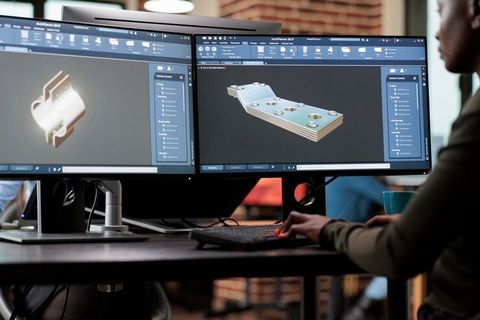
Modern CAD software can work in both two-dimensional and three-dimensional environments. A 2D CAD system is generally used for drawings, layouts, floor plans, schematics, and technical documentation, while 3D CAD software creates digital models that represent the shape and structure of physical objects.
How CAD software works
A CAD program provides a digital workspace containing drawing and modeling tools. Users can create geometry, apply dimensions and constraints, organize components, modify designs, and prepare technical documentation.
Many systems use parametric modeling, in which dimensions and relationships are stored as design parameters. Changing one parameter can automatically update related parts of a model. Other systems use direct modeling, which allows geometry to be modified more directly.
CAD files can also contain information beyond visible geometry. Depending on the software, a design may include dimensions, material information, tolerances, assembly relationships, annotations, layers, and other technical data.
2D and 3D CAD
2D CAD focuses on geometric drawings represented primarily through lines, arcs, circles, curves, dimensions, and annotations. It remains useful for technical drawings, electrical layouts, architectural plans, manufacturing drawings, and documentation.
3D CAD creates objects with three-dimensional geometry. Designers can develop individual components, combine them into assemblies, inspect their shape, and generate different views or drawings from the digital model.
| CAD approach | Common purpose | Typical output |
|---|---|---|
| 2D drafting | Technical drawings and layouts | Plans, sections, diagrams |
| 3D solid modeling | Mechanical and product design | Solid digital models |
| Surface modeling | Complex external shapes | Curved surfaces |
| Assembly modeling | Multiple connected components | Digital assemblies |
| Parametric modeling | Controlled design changes | Feature-based models |
| Direct modeling | Flexible geometry editing | Modified 3D geometry |
Importance
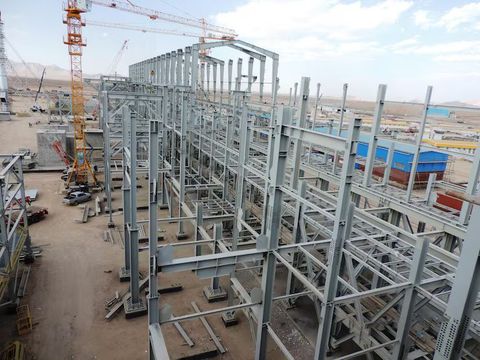
CAD software matters because digital design affects how products, buildings, machines, infrastructure, and manufactured components are planned before physical work begins. A digital model can represent dimensions and relationships that would be difficult to manage consistently through manual drafting alone.
For engineers and designers, CAD can also create a common digital reference for design development. Manufacturing teams may use technical drawings or 3D models to understand dimensions and component relationships, while architects and construction professionals can use digital drawings to communicate spatial information.
Design accuracy and revision control
A major purpose of CAD is to provide a structured environment for creating precise geometry. Dimensions, geometric relationships, layers, constraints, and other design information can be managed within the digital file.
CAD also simplifies revisions. A drawing can be modified without recreating the entire document, while parametric models can update related features when defined dimensions or relationships change.
However, digital precision does not automatically mean that a design is correct. Incorrect dimensions, unsuitable assumptions, poor modeling practices, or inaccurate input data can still produce an unsuitable design.
Collaboration and data exchange
Modern design projects frequently involve multiple disciplines. Mechanical, electrical, architectural, structural, and manufacturing teams may work with different software platforms and file formats.
Data exchange therefore plays an important role. Common formats such as DWG, DXF, STEP, IGES, IFC, and other specialized formats can be used depending on the discipline and workflow.
CAD platforms may also connect with other engineering systems, including computer-aided engineering, computer-aided manufacturing, building information modeling, product lifecycle management, and simulation tools.
Main features found in CAD software
The exact feature set varies between applications, but many CAD platforms include:
Drawing and drafting tools for creating technical geometry.
Dimensioning tools for defining measurements and tolerances.
Layers and organization tools for separating design information.
Constraints for controlling relationships between geometric elements.
Solid modeling for creating three-dimensional components.
Surface modeling for complex curved forms.
Assembly tools for combining multiple components.
Rendering and visualization tools for presenting models.
Technical documentation tools for creating drawings from models.
Import and export functions for exchanging design data.
Recent Updates
CAD software has been evolving toward more connected, cloud-enabled, automated, and intelligent workflows. Cloud collaboration allows design data to be accessed across locations and can support simultaneous work, controlled file access, and centralized project information.
Artificial intelligence is another significant development. Recent CAD platforms increasingly incorporate AI-assisted functions for tasks such as design search, documentation, geometry creation, feature recognition, and workflow automation. Industry research in 2026 indicates that AI is becoming increasingly embedded in design and engineering software.
Generative design is also developing within CAD environments. Instead of manually creating every geometric variation, a designer can define objectives and constraints and allow software algorithms to generate possible design alternatives. Human review remains important because generated geometry still needs to be checked against engineering requirements and manufacturing considerations.
Cloud-based CAD
Cloud-based CAD has expanded the way design teams collaborate. Rather than relying entirely on files stored on individual computers, some platforms maintain design information in connected environments.
This approach can support:
Remote design collaboration.
Centralized project information.
Version tracking.
Browser-based access.
Integration with other digital design tools.
Controlled sharing between project participants.
The shift toward integrated design platforms is also connecting CAD with simulation, manufacturing, product lifecycle management, and other engineering applications.
Model-based definition
Another important development is the increasing use of 3D models as a source of product definition information. ISO 16792 addresses digital product definition data and supports workflows involving 2D drawings, 3D models, or combinations of both. A revised edition is currently progressing through the international standards process.
This reflects a broader movement from drawing-centered workflows toward model-based approaches in which a 3D model can contain important product information and annotations.
Laws or Policies
CAD software itself is generally governed by the laws and policies applicable to software, intellectual property, digital information, technical documentation, and the industry in which the design is used. Requirements vary by jurisdiction and application.
Copyright and licensing rules can affect how CAD software and digital design files are used. Organizations may also establish internal controls for access, file management, version history, and protection of proprietary design information.
Technical standards are another important area. Standards can define how technical drawings, dimensions, tolerances, product definitions, and digital models are represented. ISO 10209, for example, establishes terminology relating to technical drawings, product definition, and related documentation.
ISO 16792 provides practices for digital product definition data and addresses both 2D drawing-based and 3D model-based approaches. The current revision process also reflects continuing development of digital product documentation practices.
Different industries may have additional standards for safety, structural design, manufacturing documentation, electrical systems, aerospace components, construction, or other specialized applications. Compliance therefore depends on the purpose of the design and the applicable technical framework.
Tools and Resources
A range of tools and resources can support CAD workflows. The appropriate combination depends on the type of design, required file formats, project complexity, and industry.
CAD software categories
CAD applications can generally be grouped into several categories:
2D drafting platforms for technical drawings and layouts.
Mechanical 3D CAD platforms for components and assemblies.
Architectural CAD platforms for building-related drawings.
Electrical CAD platforms for circuit and wiring documentation.
Civil design platforms for infrastructure and site development.
Surface modeling applications for complex shapes.
Specialized CAD tools for particular engineering disciplines.
File-format resources
Understanding file formats can help when moving designs between different applications. DWG and DXF are widely associated with 2D drawing workflows, while STEP and IGES are commonly used for exchanging 3D engineering geometry. IFC is widely associated with building information workflows.
File conversion should be handled carefully because transferring a design between systems can change geometry, metadata, constraints, layers, or other information.
Standards and documentation
The International Organization for Standardization maintains information about technical product documentation standards and CAD-related standards. Its CAD classification includes standards concerning digital product definition, CAD layer organization, and technical documentation.
Software documentation, training materials, sample drawings, modeling exercises, and file-format references can also help users understand individual CAD environments.
Hardware and workflow considerations
CAD performance depends partly on the complexity of the model and the type of work being performed. Large assemblies, detailed visualizations, simulations, and advanced rendering may require substantially different computing resources from basic 2D drafting.
A typical CAD workflow may include:
Defining design requirements.
Creating initial 2D geometry or a 3D model.
Applying dimensions and constraints.
Developing components or assemblies.
Reviewing geometry and design relationships.
Creating technical documentation.
Exporting appropriate files for downstream processes.
Maintaining revisions and associated documentation.
FAQs
What is CAD software used for?
CAD software is used to create and modify digital drawings and models. Applications include mechanical components, machinery, buildings, infrastructure, electrical layouts, consumer products, and manufacturing documentation.
What is the difference between 2D and 3D CAD software?
2D CAD software creates drawings using geometric elements such as lines, circles, arcs, and dimensions. 3D CAD software creates three-dimensional digital models that can represent the shape, structure, and relationships of physical objects.
What are the main CAD modeling tools?
Common CAD modeling tools include sketching, extrusion, rotation, filleting, chamfering, lofting, shelling, surface creation, assembly tools, constraints, and parametric features. The available tools vary between software platforms.
How is CAD software used in manufacturing?
CAD software is used to create component models, assemblies, technical drawings, dimensions, tolerances, and other product definition information. CAD data can also connect with manufacturing and engineering applications used later in the product development process.
Is CAD software used in architecture and construction?
Yes. CAD software is used for architectural drawings, floor plans, elevations, sections, details, layouts, and other technical documentation. Some workflows also connect CAD data with building information modeling and related construction technologies.