Enterprise Resource Planning Integration Overview With Modern Business Technology and System Management
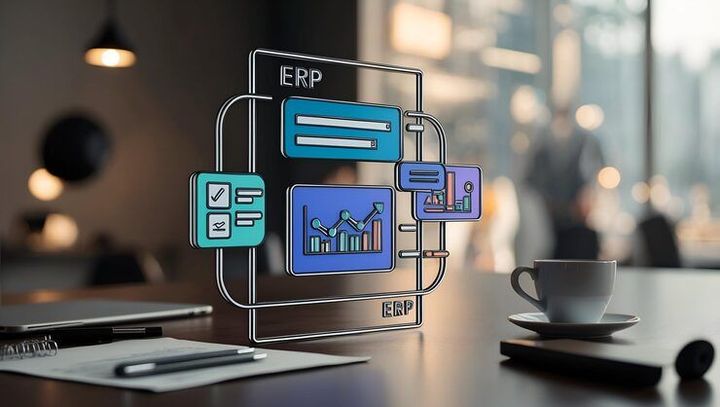
Enterprise Resource Planning (ERP) integration connects different business applications, databases, and operational processes through a coordinated technology environment. It helps organizations manage information from departments such as accounting, inventory, procurement, production, human resources, and customer management within connected systems.
Modern ERP integration combines business software with data management tools to support consistent information sharing.
Traditional businesses often relied on separate software applications and manual records for everyday operations. Accounting teams maintained financial information, warehouse employees tracked inventory, and production departments recorded manufacturing activities independently. This approach could create duplicate records, delayed updates, and differences between departmental reports.
ERP systems developed to address these challenges by bringing important business activities into a shared information structure. As organizations adopted cloud computing, application programming interfaces (APIs), and automated data processing, ERP integration became an important part of modern business technology.
How ERP Integration Works
ERP integration connects an organization's central planning software with other applications that support specific activities. Information moves between connected systems according to defined rules, allowing departments to work with updated records without entering identical information repeatedly.
For example, when a customer order enters an integrated system, the software may update inventory records, notify the warehouse, create financial entries, and provide information to production planners. The exact workflow depends on the organization's configuration, permissions, and business requirements.
Common Types of ERP Integration
Several integration approaches support different business environments.
API integration: Allows software applications to exchange information through defined communication interfaces.
Database integration: Connects data sources through controlled access and synchronization methods.
Cloud ERP integration: Connects cloud-based planning software with other hosted applications.
Application integration: Links specialized systems, such as customer relationship management and warehouse management platforms.
Middleware integration: Uses an intermediate platform to coordinate communication between multiple applications.
Each approach has different technical requirements. Organizations generally select an integration method according to their existing software, data structures, security requirements, and operational complexity.
Importance
ERP integration matters because organizations increasingly depend on accurate information moving between departments. Disconnected systems can make it difficult to understand inventory levels, production schedules, financial positions, and customer orders at the same time. Integrated business technology creates a more consistent view of daily operations.
Who Uses ERP Integration?
ERP integration is relevant to organizations of different sizes and across multiple industries. Manufacturers connect production planning with inventory records, while retailers synchronize product information with warehouse systems and sales applications. Healthcare administrators, educational institutions, logistics operators, and professional organizations may also use integrated software to coordinate administrative processes.
Employees can benefit from fewer repeated data entries and clearer access to relevant information. Managers can examine connected reports when planning budgets, monitoring production, or reviewing operational performance.
Business Problems Addressed by Integration
Common challenges addressed by ERP integration include:
Duplicate information: Shared data flows can reduce repeated manual entry across departments.
Delayed reporting: Connected systems can make updated information available more quickly.
Inventory discrepancies: Synchronization can help align warehouse records with purchasing and sales activities.
Disconnected workflows: Automated data exchange can coordinate activities that previously required manual communication.
Limited operational visibility: Consolidated reporting can help managers understand how different departments interact.
Integration does not automatically eliminate every operational problem. Incorrect source data, poorly configured workflows, and inadequate employee training can still create reporting errors or processing delays.
Business Areas and Integration Benefits
Business area | Connected systems | Main purpose |
|---|---|---|
Finance | Accounting and procurement | Coordinate transactions and financial records |
Inventory | Warehouse and purchasing software | Maintain consistent stock information |
Manufacturing | Production planning and inventory | Align materials with production requirements |
Human resources | Payroll and employee records | Synchronize relevant workforce information |
Customer management | CRM and order processing | Connect customer records with order activities |
Logistics | Transportation and warehouse systems | Coordinate shipment and delivery information |
These connections can improve information consistency and operational coordination. Their actual results depend on system design, data quality, and how employees use the integrated environment.
Recent Updates
Modern ERP integration increasingly involves cloud platforms, artificial intelligence, automated workflows, and stronger data governance. Developments across 2024–2026 reflect a broader movement toward connected business applications rather than isolated software systems.
Cloud ERP and Hybrid Architecture
Cloud-based ERP platforms allow organizations to access business applications through hosted environments. Integration tools can connect these platforms with existing systems, including locally installed databases and specialized departmental applications.
Hybrid architecture remains relevant for organizations that need to retain certain applications within their own infrastructure. This arrangement can support gradual modernization, although it requires careful management of data transfers, access permissions, and system compatibility.
Artificial Intelligence and Workflow Automation
Artificial intelligence is becoming more visible in business software through functions such as document classification, demand forecasting, anomaly detection, and assistance with routine data processing. When connected to ERP information, these capabilities can help employees identify patterns and review exceptions.
Automation can also move information between applications when predefined conditions are met. For example, an inventory threshold may trigger a notification to a purchasing team. Human review remains important when actions affect financial records, compliance requirements, or significant operational decisions.
API Management and Real-Time Data
Modern integration platforms increasingly use APIs and event-based communication to exchange information between applications. Instead of relying entirely on periodic manual exports, organizations can configure systems to share selected updates when business events occur.
Real-time integration is not necessary for every process. Some reports can operate through scheduled data transfers, while time-sensitive activities may require more frequent synchronization. Choosing the appropriate approach depends on business needs, system capacity, and the consequences of delayed information.
Security and Data Governance
Connected applications create additional points where information must be protected. Organizations increasingly emphasize identity management, encryption, activity monitoring, access controls, and documented data ownership.
Data governance also establishes who can change business records, how information is validated, and which systems act as authoritative sources. These practices help maintain accountability when multiple applications use the same information.
Laws or Policies
ERP integration is influenced by data protection requirements, cybersecurity expectations, financial reporting rules, and industry-specific obligations. The exact requirements depend on where an organization operates, what information it processes, and which activities its systems support.
Data Protection and Privacy
Organizations handling personal information may need to follow applicable privacy and data protection laws. These requirements can affect employee records, customer databases, payroll information, and information transferred between cloud applications.
In India, the Digital Personal Data Protection Act, 2023, establishes a legal framework for digital personal data, with implementation dependent on applicable provisions and notifications. Organizations should assess relevant requirements when integrating systems that process personal information.
Financial Records and Auditability
ERP platforms often contain accounting entries, invoices, procurement records, payroll information, and transaction histories. Applicable accounting, taxation, and corporate reporting requirements may influence how these records are maintained and accessed.
Integration designs should preserve appropriate transaction histories and support traceability. Changes to financial records may require approval workflows, access restrictions, and reliable audit logs.
Cybersecurity and Access Management
Organizations should establish security controls for users, applications, and data transfers. Relevant measures may include multi-factor authentication, role-based access, secure API credentials, backup procedures, and incident response planning.
Third-party software connections also require oversight. Access permissions should be limited to necessary information, and integrations should be reviewed when applications, employees, or business requirements change.
Legal obligations vary by jurisdiction and industry. Organizations need to evaluate the rules applicable to their circumstances rather than assuming that one technical configuration satisfies every requirement.
Tools and Resources
ERP integration involves software platforms, technical tools, documentation, and management practices. The appropriate combination depends on the number of applications, the volume of data, existing infrastructure, and the organization's operational needs.
ERP and Integration Platforms
Enterprise software environments commonly include ERP platforms, customer relationship management systems, warehouse management applications, and human resource management software. Integration platforms connect these applications through APIs, data connectors, workflow automation, or managed data pipelines.
When evaluating an integration platform, organizations commonly examine compatibility, security controls, monitoring features, scalability, and support for existing applications.
Data Mapping and Integration Planning
Data mapping defines how information from one application corresponds to fields in another. For example, a product identifier in an inventory system must correspond correctly to the relevant product record in the ERP platform.
Planning documents can include:
System inventory and application ownership records.
Data mapping tables and field definitions.
Workflow diagrams and integration requirements.
User access matrices and approval rules.
Testing plans, error logs, and recovery procedures.
These resources help technical teams understand dependencies before making changes to connected applications.
Testing and Monitoring Tools
Integration testing checks whether information moves accurately between systems. Teams may test normal transactions, incomplete records, duplicate messages, connection failures, and permission restrictions.
Monitoring tools can identify unsuccessful transfers, delayed processing, unusual activity, and application errors. Alerting and documented recovery procedures help teams investigate problems without relying entirely on manual checks.
Comparing Integration Approaches
Approach | Suitable environment | Main consideration |
|---|---|---|
Direct API connections | A limited number of applications | Each connection requires maintenance |
Integration platform | Multiple connected applications | Configuration and governance require planning |
Middleware architecture | Complex business workflows | Additional components increase management needs |
Scheduled data transfer | Reporting and periodic synchronization | Information may not reflect immediate changes |
Event-driven integration | Time-sensitive operational workflows | Reliable event handling and error recovery are important |
The choice should reflect actual workflow requirements rather than the number of available technical features.
FAQs
What Is ERP Integration in Modern Business Technology?
ERP integration connects enterprise resource planning software with other business applications. It enables systems to exchange information about activities such as accounting, inventory, purchasing, production, and customer orders.
How Does ERP Integration Improve System Management?
ERP integration helps coordinate information across departments and can reduce duplicate data entry. It also supports connected reporting, workflow automation, and clearer monitoring of business activities.
What Are the Main Challenges of ERP Integration?
Common challenges include incompatible data formats, outdated applications, migration errors, cybersecurity risks, and employee training requirements. Careful planning, testing, and data governance help address these issues.
What Is the Difference Between Cloud ERP and ERP Integration?
Cloud ERP describes an enterprise planning system hosted through cloud infrastructure. ERP integration describes the connections that allow ERP software to exchange information with other applications, whether those systems are cloud-based or locally hosted.
How Is Artificial Intelligence Used in ERP Integration?
Artificial intelligence can support forecasting, document processing, anomaly detection, and analysis of connected business information. Its usefulness depends on data quality, suitable controls, and appropriate human oversight.
Conclusion
ERP integration connects business applications and helps organizations coordinate information across finance, inventory, production, human resources, and customer management. Modern developments in cloud computing, APIs, automation, and artificial intelligence are expanding the ways these systems exchange and process data. Effective integration depends on suitable architecture, accurate information, security controls, and consistent system management. Legal requirements and operational priorities also influence how organizations design and maintain connected business technology.