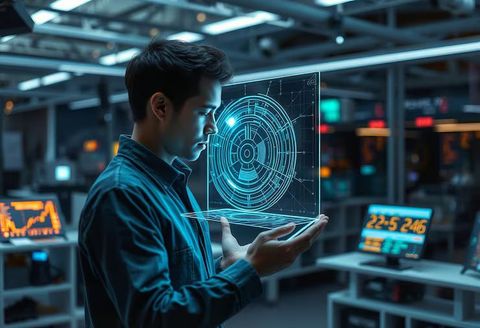
Digital Displays Guide With Display Technology and Visual Communication Insights
Digital displays are electronic screens used to present text, images, video, symbols, data, and other visual information. They appear in many everyday environments, including retail spaces, transportation areas, educational institutions, offices, healthcare facilities, entertainment venues, manufacturing environments, and public buildings.
Unlike printed signs, digital displays can change their content electronically without replacing the physical screen.
The development of digital displays is connected to the wider evolution of electronic visual technology. Early electronic screens were primarily developed for television, computing, and industrial instrumentation. As display technology improved, screens became thinner, brighter, more energy efficient, and capable of showing higher levels of detail. These developments expanded their use beyond entertainment and personal computing.
Modern digital displays can use technologies such as LCD, LED, OLED, projection systems, and electronic paper. Each technology works differently and has particular characteristics related to brightness, viewing angle, contrast, energy consumption, durability, and image quality. The appropriate technology depends on the environment and the type of information being presented.
Digital displays also form an important part of visual communication. A screen can communicate information through combinations of typography, graphics, color, animation, icons, diagrams, and video. Content can also be changed according to time, location, audience needs, or operational conditions.
Importance
Digital displays matter because people increasingly encounter information through visual interfaces. A well-structured display can make complex information easier to understand by presenting it in a concise visual format. This is particularly useful where people have limited time to read or where information changes frequently.
Visual communication is used across many fields. Transportation environments may use screens for schedules and directions, while educational environments can use displays for lessons, announcements, and interactive material. Industrial facilities can use screens to present equipment information, production data, alerts, and operational instructions.
Common applications
Digital displays can support different communication requirements:
- Information screens can present schedules, announcements, instructions, and general notices.
- Interactive displays can allow users to navigate menus, maps, educational content, or digital interfaces.
- Commercial displays can present product information, menus, demonstrations, and other visual material.
- Industrial displays can show measurements, machine conditions, process information, and alerts.
- Outdoor displays can communicate information in environments with changing daylight and weather conditions.
- Public information screens can present directions, safety messages, and emergency information.
The physical environment has a significant influence on display selection. An indoor screen may need different brightness and durability characteristics from an outdoor display exposed to sunlight, moisture, temperature changes, or dust.
Accessibility is another important consideration. Text size, contrast, color combinations, viewing height, audio support, and interaction methods can affect how easily different people understand information. Accessible visual communication considers users with different levels of vision, hearing, mobility, and digital familiarity.
Display Technology
Display technology determines how an electronic screen creates and presents an image. LCD panels use liquid crystals together with a backlight, while LED-based displays commonly use light-emitting diodes for illumination or image formation. OLED displays use organic light-emitting materials that can produce light at the individual pixel level.
LED video walls are commonly constructed from multiple display modules connected to form a larger visual surface. They can be used for large indoor or outdoor installations where screen size and viewing distance are important considerations.
Technology comparison
| Display Technology | Common Characteristics | Typical Applications |
|---|---|---|
| LCD | Established panel technology, controlled backlighting | Offices, education, information screens |
| LED | High brightness and scalable screen configurations | Large displays, outdoor environments |
| OLED | Individual pixels produce light, strong contrast | Premium visual interfaces, entertainment |
| Projection | Large images from a projector and surface | Classrooms, presentations, events |
| Electronic Paper | Low-power static image presentation | Signs, labels, information panels |
The technical specifications of a display should be considered alongside its intended environment. Important characteristics include screen size, resolution, brightness, contrast, refresh rate, viewing angle, operating temperature, connectivity, and expected operating duration.
Resolution describes the number of pixels used to form an image. Higher resolution can provide greater detail, although the practical value depends on viewing distance and content type. A screen viewed from several meters away may not require the same pixel density as a close-up interactive interface.
Brightness is particularly important for outdoor digital displays. Excessive brightness in an indoor environment can create discomfort, while insufficient brightness outdoors can make content difficult to read. Automatic brightness adjustment can help adapt a display to changing ambient light.
Visual Communication
Visual communication involves presenting information through visual elements rather than relying only on written explanations. Digital displays can combine several communication methods within a single interface.
Typography needs to remain readable from the expected viewing distance. Short phrases, clear hierarchy, appropriate spacing, and sufficient contrast can improve comprehension. Large amounts of text can make a screen difficult to understand, particularly when people are moving through an environment.
Graphics can communicate relationships and concepts quickly. Icons, diagrams, maps, charts, and symbols can reduce the amount of written explanation required. However, symbols should be familiar or accompanied by sufficient context when their meaning may not be obvious.
Animation can attract attention or explain changes over time, but excessive movement can distract users. Content should therefore reflect the communication purpose rather than relying on visual effects alone.
Content management
Many digital displays are connected to content management platforms that allow authorized users to prepare, schedule, organize, and update screen content. Depending on the system, content can be distributed across one display or a network of screens.
Common content management functions include:
- Content scheduling
- Screen grouping
- Media library management
- Remote configuration
- Playback monitoring
- User permissions
- Template management
- Performance reporting
Network connectivity can also allow centralized management of displays in different locations. This approach can reduce the need for physical access when content needs to be updated.
Recent Updates
Recent developments in digital displays have focused on higher resolution, improved brightness control, energy efficiency, connectivity, and more flexible installation formats. Advances in LED technology have made fine-pitch displays increasingly suitable for environments where viewers stand relatively close to large screens.
OLED technology continues to develop through improvements in brightness, durability, efficiency, and panel construction. Flexible and transparent display concepts have also expanded research into new screen formats, although their practical applications vary by environment and technical requirements.
Artificial intelligence and automated content systems are also becoming more relevant to digital display management. These systems can help organize content, analyze display conditions, automate scheduling, and support adaptive communication workflows. Human oversight remains important because automated systems can produce unsuitable layouts or content if the underlying rules are poorly configured.
Connectivity is another major trend. Digital displays can increasingly integrate with sensors, cloud platforms, building systems, data feeds, and other connected technologies. This enables information to change according to operational data or environmental conditions.
Energy management has also received greater attention. Features such as automatic brightness adjustment, scheduled shutdown, power monitoring, and efficient display components can help reduce unnecessary energy consumption.
Laws or Policies
Digital displays are influenced by several categories of rules, and requirements vary by jurisdiction and application. Regulations may address electrical safety, electromagnetic compatibility, energy efficiency, accessibility, workplace safety, public signage, building installations, and outdoor advertising.
Electrical and electronic equipment generally needs to meet applicable safety requirements before being placed into particular environments. Installation requirements may also apply to mounting structures, wiring, ventilation, fire safety, and access to electrical components.
Accessibility policies can influence the design of public-facing digital displays. Depending on the jurisdiction and setting, organizations may need to consider readable text, suitable contrast, accessible interfaces, and alternative communication methods.
Outdoor installations can face additional requirements related to brightness, placement, structural stability, visibility, and local planning rules. Public authorities may also establish restrictions for displays near roads or other locations where excessive visual distraction could create safety concerns.
Organizations using digital displays should therefore consider the rules applicable to their specific location, building type, installation method, and intended audience. Requirements can differ substantially between private indoor installations and publicly accessible outdoor systems.
Tools and Resources
Several categories of tools can support digital display planning and management. Display specification calculators can help estimate viewing distance, pixel density, screen dimensions, and aspect ratios. These calculations are useful when determining whether content will remain readable from the expected viewing position.
Design platforms can be used to prepare presentation layouts, graphics, diagrams, videos, and screen templates. Digital signage platforms can provide scheduling, content organization, device management, and remote monitoring capabilities.
Color contrast checkers are useful for assessing whether text and background combinations are sufficiently distinguishable. Accessibility guidelines and interface design references can provide additional information about typography, contrast, navigation, and alternative communication methods.
Hardware monitoring tools can track temperature, connectivity, operating status, brightness, and other technical conditions. These tools can be particularly useful when multiple screens are managed as part of a larger network.
FAQs
What are digital displays?
Digital displays are electronic screens that present information such as text, images, video, graphics, symbols, and data. They are used across indoor and outdoor environments for communication and information presentation.
How does display technology affect screen performance?
Display technology influences characteristics such as brightness, contrast, resolution, viewing angle, energy use, and physical design. LCD, LED, OLED, projection, and electronic paper systems have different technical characteristics.
What is visual communication in digital displays?
Visual communication is the presentation of information through text, graphics, symbols, images, animation, and other visual elements. Digital displays combine these elements to communicate information efficiently.
What factors should be considered for an outdoor digital display?
Important factors include brightness, weather resistance, operating temperature, viewing distance, structural installation, power requirements, content readability, and applicable local regulations.
Why is content management important for digital displays?
Content management allows authorized users to organize, schedule, update, and monitor information across one or multiple screens. It can also support centralized control when displays are connected through a network.
Conclusion
Digital displays combine electronic screen technology with visual communication to present changing information across many environments. Display characteristics such as resolution, brightness, viewing angle, connectivity, energy use, and durability influence how a screen performs in its intended setting. Recent developments include improved LED and OLED technologies, connected display networks, automated management, and greater attention to energy efficiency and accessibility. Regulatory requirements vary according to location, installation type, and application, making the surrounding environment an important part of digital display planning.