Guide to ERP Software: Benefits, Types & Leading Platforms in 2025
Enterprise Resource Planning (ERP) software is a unified system that integrates various core business processes such as finance, human resources, supply chain, manufacturing, and customer relations into a single platform. It helps businesses of all sizes streamline operations, improve accuracy, and drive data-based decision-making.
Benefits of ERP Software
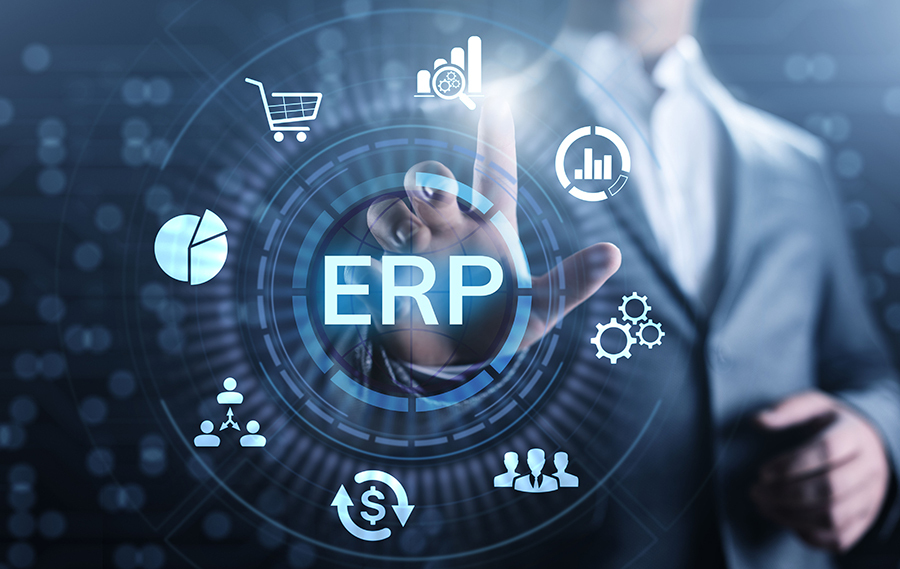
Streamlined Operations
ERP automates manual tasks and connects departments, reducing duplication and delays.
Real-Time Data Access
Centralized databases offer real-time data visibility for better forecasting and planning.
Improved Decision-Making
Advanced analytics and reporting tools enhance strategic planning and financial insight.
Cost Efficiency
ERP reduces operational costs by improving resource management and eliminating inefficiencies.
Scalability
ERP systems are flexible and customizable, scaling with your business growth.
Types of ERP Systems
| ERP Type | Description | Best For |
|---|---|---|
| On-Premise ERP | Installed locally on company servers | Large enterprises with IT teams |
| Cloud-Based ERP | Hosted on the vendor’s cloud, accessible from anywhere | SMEs, startups, remote teams |
| Hybrid ERP | Combines on-premise and cloud features for flexibility | Enterprises with mixed needs |
| Industry-Specific ERP | Tailored to specific industries like manufacturing, retail, or healthcare | Businesses with niche processes |
| Open-Source ERP | Customizable and free, requires in-house technical skills | Tech-savvy small businesses |
Key Features of Modern ERP Software
1. Financial Management
Track income, expenses, taxes, payroll, and compliance in real-time.
2. Human Resource Management
Manage employee lifecycle, attendance, payroll, and performance.
3. Inventory and Supply Chain
Track stock levels, supplier performance, procurement, and logistics.
4. Customer Relationship Management (CRM)
Manage leads, sales pipelines, support tickets, and client interactions.
5. Manufacturing and Production
Plan production schedules, monitor quality control, and optimize factory workflows.
6. Reporting and Analytics
Generate custom dashboards, KPIs, and financial reports for better insight.
ERP Trends in 2025
-
AI-Powered ERP: Predictive analytics, chatbots, and process automation using artificial intelligence.
-
Low-Code/No-Code ERP Customization: Easy customization without deep programming.
-
Mobile ERP Solutions: Access ERP functionalities from smartphones or tablets.
-
ESG Integration: ERP modules that track sustainability, compliance, and carbon footprint.
-
Blockchain for ERP: Securing transactions and improving traceability in supply chains.
Top ERP Software Solutions in 2025
| ERP Software | Key Features | Ideal For |
|---|---|---|
| SAP S/4HANA | AI, real-time analytics, IoT integration | Large enterprises |
| Oracle NetSuite | Cloud-native, finance-focused | Fast-growing mid-size firms |
| Microsoft Dynamics | Seamless with Office 365, scalable | SMEs and enterprises |
| Odoo | Open-source, modular | Small and medium businesses |
| Zoho ERP | Budget-friendly, CRM integration | Startups and freelancers |
| Infor CloudSuite | Industry-specific, cloud-based | Manufacturing and retail |
How to Choose the Right ERP Software
1. Define Your Business Needs:
Identify which business areas need improvement (HR, finance, supply chain, etc.).
2. Set a Budget and Timeline:
ERP implementation can be costly and time-consuming. Choose a solution that fits your budget and resources.
3. Evaluate Vendor Support:
Choose a vendor with strong customer support, documentation, and user community.
4. Ensure Scalability:
Opt for ERP that can grow with your company’s operations and expansion plans.
5. Prioritize Security and Compliance:
Make sure the ERP solution adheres to data privacy, financial regulations, and industry-specific compliance.
Checklist for ERP Implementation
-
Conduct a business process analysis
-
Define implementation goals and metrics
-
Allocate an ERP implementation team
-
Choose a trusted ERP vendor
-
Migrate existing data securely
-
Test the ERP system thoroughly
-
Train users across all departments
-
Monitor and optimize post-launch performance
Common Challenges in ERP Adoption
-
Resistance to change among employees
-
Poor data migration planning
-
Lack of integration with third-party tools
-
Underestimating implementation costs
-
Inadequate vendor support
Proactive planning and user training can minimize these risks significantly.
FAQs about ERP Software
What industries use ERP software?
ERP is used in manufacturing, healthcare, education, retail, construction, logistics, finance, and many other sectors.
How long does it take to implement ERP?
Depending on complexity and size, implementation may take 3 to 12 months.
Is ERP suitable for small businesses?
Yes. Cloud ERP solutions like Zoho, Odoo, and QuickBooks cater to small and growing businesses.
Can ERP be integrated with other tools?
Yes. Modern ERP systems offer APIs and integrations with CRM, eCommerce, HRMS, and BI tools.
What is the difference between ERP and CRM?
ERP manages internal operations (finance, HR, supply chain), while CRM focuses on customer-facing activities (sales, support, marketing).
Practical Takeaway
Investing in ERP software is no longer optional for businesses that want to stay competitive in 2025. Whether you’re a startup or an enterprise, the right ERP solution can improve operational efficiency, foster collaboration, and provide strategic insights across all departments. Choosing a scalable, cloud-based ERP platform with AI features ensures your business is ready for the future.