Guide to Domain Names: Understanding Ownership, Availability, and Website Connection
A domain name is your digital address on the internet — it’s how users find and identify your website. Whether you’re building a personal blog, eCommerce store, or AI startup, selecting the right domain name is the foundation of your online presence.
In 2025, domain names have evolved from simple web addresses to brand-defining assets integrated with email, marketing, and AI-driven tools. Understanding how domain names work, how to check availability, and who owns them helps you make better, long-term decisions for your business website.
What Are Domain Names?
A domain name is the user-friendly version of an IP address that identifies your website. For example, instead of typing 172.217.160.142, users can type google.com.
Domains are divided into:
-
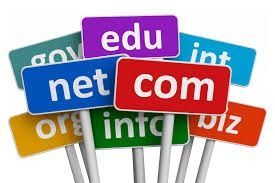
Top-Level Domains (TLDs): .com, .org, .net, .ai, etc.
-
Country Code TLDs (ccTLDs): .in, .uk, .us
-
New Generic TLDs (gTLDs): .tech, .store, .io, etc.
Each serves a different audience and purpose depending on your brand or region.
Domain Names and Websites
Your website and domain work together but serve different functions.
-
The domain name is the address users type into their browser.
-
The website is hosted on a server that contains your content and files.
When you connect your domain name to your hosting provider, you effectively make your website visible to the world.
Domain Names and Email Setup
Custom email addresses using your domain — like contact@yourdomain.com — make your business look professional.
Benefits include:
-
Improved trust and brand consistency
-
Enhanced deliverability in email marketing
-
Easier management of multiple business accounts
You can set up business emails through providers like Google Workspace or Microsoft 365 using your registered domain name.
Who Owns Domain Names?
Every domain name is registered through an accredited registrar and recorded in a WHOIS database that identifies ownership details such as:
-
Registrant name and contact info
-
Registrar company
-
Expiry and renewal dates
Tools like ICANN WHOIS Lookup allow you to check who owns a domain name. However, some users enable domain privacy protection to hide personal details.
Checking Domain Name Availability
Before registering, check whether your desired domain is available. Most registrars provide search tools that instantly show availability, alternatives, and pricing.
Tips for choosing the right domain:
-
Keep it short and memorable
-
Avoid numbers and hyphens
-
Prefer
.comor industry-specific extensions like.ai,.shop, or.tech -
Use AI-based name generators for creative ideas
AI and Domain Name Innovation
Artificial Intelligence (AI) now helps users:
-
Generate domain suggestions based on keywords
-
Predict name trends
-
Identify high-value names with better SEO potential
AI domain name tools are especially useful for startups and tech brands looking for unique identities.
Best Domain Name Providers in 2025
Some leading and reliable domain name registrars include:
-
GoDaddy
-
Namecheap
-
Google Domains
-
Bluehost
-
Hostinger
These platforms offer features such as free WHOIS privacy, website builders, SSL certificates, and email hosting for small businesses.
Domain Names and SEO
A domain can indirectly affect your search engine ranking.
Important factors:
-
Using keywords naturally in the domain (e.g.,
greentechsolutions.com) -
Age and authority of the domain
-
Consistency with brand and niche
However, content quality, backlinks, and user experience remain far more important for SEO success.
Domain Pricing Overview
The average domain registration cost ranges from $8–$20 USD per year for common extensions like .com, while niche TLDs (e.g., .ai or .io) may cost $50–$100 USD annually.
Premium domains — short, brandable, or keyword-rich names — can sell for thousands of USD due to high demand.
Trends in Domain Name Industry (2025)
-
AI-driven naming tools suggest creative, brand-relevant domains.
-
Voice-friendly names are gaining popularity for smart assistants.
-
Blockchain domains like
.ethand.cryptooffer decentralized ownership. -
Domain leasing and resale markets are expanding as investments.
How to Build a Website After Buying a Domain
Once your domain is secured:
-
Choose a web hosting provider.
-
Install a CMS (like WordPress) or drag-and-drop builder.
-
Design and publish your website.
-
Set up SSL and business email.
These steps connect your domain with a live, functional website ready for users.
FAQs
Q1. Can I transfer my domain name to another provider?
Yes, you can transfer domains between registrars once 60 days have passed after purchase.
Q2. What happens if I forget to renew my domain?
Your domain may enter a grace period (usually 30 days) before being released back for public registration.
Q3. Can two websites use the same domain name?
No, every domain name is globally unique.
Q4. How do I check if a domain is taken?
Use any domain search tool or WHOIS lookup to verify availability.
Q5. Are AI-generated domain names SEO-friendly?
Yes, as long as they are relevant, short, and easy to spell.
Conclusion
Domain names remain the cornerstone of online branding in 2025. From startups to enterprises, the right domain boosts visibility, credibility, and long-term success. Whether you’re setting up a personal blog or an eCommerce store, invest time in selecting, registering, and protecting your domain name — it’s the first step toward a lasting digital identity.